PGC Reports on Bear Harvest, North Central PA with Top 5
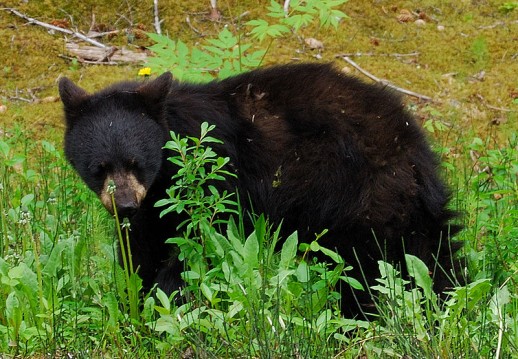
224 bears taken with bows
The PA State Game Commission has released preliminary bear harvest results.
HARRISBURG – With 224 bears taken during the first-ever statewide, five-day archery bear season, and 2,815 bears taken during the restructured three-day bear season, which included a Saturday-opener, Pennsylvania Game Commission preliminary harvest reports show that bear hunters harvested a preliminary total of 3,039 bears in 53 counties.
Official total bear harvest figures won’t be available until early 2011, after a detailed review of each harvest report is completed.
In the 2005 bear season, hunters harvested a record 4,164 bears. Other recent bear harvests include: 3,512 in 2009; 3,460 in 2008; 2,362 in 2007; 3,124 in 2006; 2,977 in 2004; 3,000 in 2003; 2,686 in 2002; 3,063 in 2001; 3,075 in 2000; 1,740 in 1999; and 2,598 in 1998.
For the first time, Game Commission employees working to gather data at the bear check stations were using new technology to record harvest information. This new approach was designed to improve the processing of bears so that hunters could get in and out of check stations quickly and improve accuracy in data collection. Despite this improvement in timely and accurate processing, the new system did lead to a delay in the release of harvest results.
“While we recognize there is enormous public interest in bear harvest information, our primary responsibility is to accommodate successful hunters and to record harvest information accurately and efficiently,” said Calvin W. DuBrock, Game Commission Bureau of Wildlife Management director. “The current number and distribution of bear check stations put virtually every successful hunter within a one-hour drive of a check station.”
“We also are striving to embrace technological efficiencies for data capture and to minimize processing times. In that regard, we are headed in the right direction, as the lines at bear check stations moved much quicker this year for the hunters. We’re already looking at ways to improve the process and expedite the release of harvest data next year.”
DuBrock noted that, according to the harvest data, the day-by-day archery bear harvest results are as follows: 90 bears harvested on Nov. 15; 32 on Nov. 16; 26 on Nov. 17; 23 on Nov. 18; and 53 on Nov. 19.
For the three-day general bear season, 1,751 bears were harvested on Nov. 20; 793 on Nov. 22; and 271 on Nov. 23. In 2005, when the record bear harvest of 4,164 bears was set, hunters harvested 2,026 bears on the opening of day of the three-day season. Other first-day preliminary harvests for three-day statewide seasons were: 1,897 in 2009; 1,725 in 2008; 1,005 in 2007; 1,461 in 2006; 1,573 in 2004; 1,454 in 2003;1,348 2002; 1,812 in 2001; and 1,691 in 2000.
The preliminary bear harvests by Wildlife Management Unit (with 2009 figures in parentheses) were: WMU 1A , 11 (8); WMU 1B , 42 (36); WMU 2A , 1 (0); WMU 2C , 307 (247); WMU 2D , 145 (128); WMU 2E , 93 (77);WMU 2F , 199 (282); WMU 2G , 892 (1,027); WMU 3A , 198 (255); WMU 3B , 232 (292); WMU 3C , 108 (73); WMU 3D , 256 (276); WMU 4A , 135 (125); WMU 4B , 53 (43); WMU 4C , 90 (141); WMU 4D , 244 (442); WMU 4E , 31 (58); and WMU 5C , 2 (1).
The top five bear harvest counties this year, once again, all come from the Northcentral Region. The top county was Clinton, with 248 (295 in 2009); followed by: Lycoming, 228 (280); Tioga, 183 (217); Clearfield, 182 (135); and Potter 148 (181).
Preliminary county harvests by region (with 2009 figures in parentheses) are:
Northwest: Venango, 56 (33); Warren, 54 (101); Clarion, 47 (48); Forest, 47 (60); Jefferson, 33 (59); Butler, 12 (13); Crawford, 10 (8); Erie, 3 (0); and Mercer, 2 (3).
Southwest: Fayette, 101 (72); Somerset, 83 (72); Westmoreland, 62 (65); Armstrong, 56 (44); Indiana, 42 (33); and Cambria, 18 (19).
Northcentral: Clinton, 248 (295); Lycoming, 228 (280); Tioga, 183 (217); Clearfield, 182 (135); Potter 148 (181); Cameron, 138 (214); Centre, 118 (148); McKean, 92 (142); Elk, 89 (121); and Union, 46 (51).
Southcentral: Huntingdon, 95 (110); Bedford, 84 (65); Mifflin, 41 (64); Blair, 31 (44); Juniata, 19 (33); Snyder, 19 (23); Perry, 17 (8); Fulton, 11 (16); Franklin, 8 (5); Cumberland, 1 (0).
Northeast: Pike, 122 (117); Bradford, 38 (74); Monroe, 57 (77); Sullivan, 57 (68); Carbon, 35 (66); Luzerne, 58 (56); Wayne, 82 (49); Wyoming, 22 (44); Lackawanna, 16 (32); Susquehanna, 41 (30); Columbia, 20 (27); Northumberland, 3 (6); and Montour, 1 (1).
Southeast: Schuylkill, 27 (37); Dauphin, 20 (24); Lebanon, 7 (8); Berks, 2 (7); and Northampton, 7 (5).
According to preliminary reports, the top 10 legal bears processed at check stations for the two bear seasons all had actual or estimated live weights that exceeded 615 pounds, and 37 bears weighing 500 pounds or more were legally harvested.
David Price, of Cresco, Monroe County, harvested the largest bear taken during all bear seasons, which he took using a bow and arrow. The male bear weighing an estimated 875 pounds was taken in WMU 3D, Monroe County, Middle Smithfield Township, at 3:30 p.m. on Nov. 15.
While many have reported this as a “record bear,” for Pennsylvania’s official Big Game Records, the Game Commission only recognizes skull measurements based on Boone & Crockett scoring methods. Although weights are not included in the Game Commission’s Big Game Records tabulations, this was the heaviest bear ever harvested in Pennsylvania.
Randy Chabol, of Somerset, Somerset County, harvested the largest bear during the regular three-day season, which was a male that had an estimated live weight of 772 pounds. The bear was taken in WMU 2C, Somerset County, Larimer Township, at 11:30 a.m. on Nov. 20.
Rounding out the top 10 were: a 694-pound male (actual live weight) taken in WMU 2D, Indiana County, Armstrong Township, by Christopher Schultheis, of Kittanning, at 10 a.m. on Nov. 20; a 679-pound male (estimated live weight) taken in WMU 2C, Indiana County, West Wheatfield Township, by Ronald Chero, of Homer City, at 3 p.m., on Nov. 23; a 675-pound male (estimated live weight) taken in WMU 3D, Pike County, Blooming Grove Township, by Brett Treichler, of Kutztown, at 2:30 p.m. on Nov. 20; a 666-pound male (estimated live weight) taken in WMU 2G, Centre County, Burnside Township, by David Mihalik, of Howard, at 4 p.m. on Nov. 20; a 656-pound male (estimated live weight) taken in WMU 3B, Sullivan County, Forks Township, by George Mosier III, of New Albany, at 2 p.m. on Nov. 22; a 645-pound male (estimated live weight) taken in WMU 3C, Wayne County, Clinton Township, by Diane Booths, of Lake Ariel, at 7:30 a.m. on Nov. 20; a 616-pound male (estimated live weight) also taken in WMU 3C, Wayne County, Buckingham Township, by Mark Soden, of Honesdale, at 9:30 a.m. on Nov. 20; and a 616-pound male (estimated live weight) taken in WMU 3D, Pike County, Porter Township, by David Mohn, of Robesonia, at 7:10 a.m. on Nov. 20.

wedding planner computer software to automate repetitive tasks on computers includes tools like AutoHotkey or robotic process automation.